
Because sometimes, the most familiar tools still surprise you.
Let’s be honest. Most people don’t get always excited about OneDrive. It’s that blue cloud icon somewhere on your desktop. It’s where we drop half written documents, screenshots and the photos we swear we’ll organize someday. Vut as well the quiet place in the background where everything lived our reports, our slides, our memories. Reliable, yes. Exciting? Not really.
But something has changed.
With Copilot now living inside OneDrive, it feels less like storage and more like a smart companion. It understands what matters, keeps you organized, and gently helps you stay on top of your work. It’s the same OneDrive we’ve always known only now, it actually helps you think.
I realized that the first morning I opened a document and Copilot simply said, “Here’s what changed.” No panic, no digging through versions, just calm clarity.
That’s the moment OneDrive stopped being a folder, and started feeling like more and more a partner.
There’s something freeing about opening a file and instantly seeing the story behind it. Copilot highlights what’s new, summarizes what’s important, and prepares you for what’s next. It’s that quiet kind of intelligence that makes your day feel lighter. This is what you all soon will see in OneDrive!
And then there’s Compare my alltime favorite. Two files, one click, and suddenly you can see exactly what changed. No detective work, no “final_v4_reallyfinal” chaos. It’s simple nd it’s saved me more times than I can count.
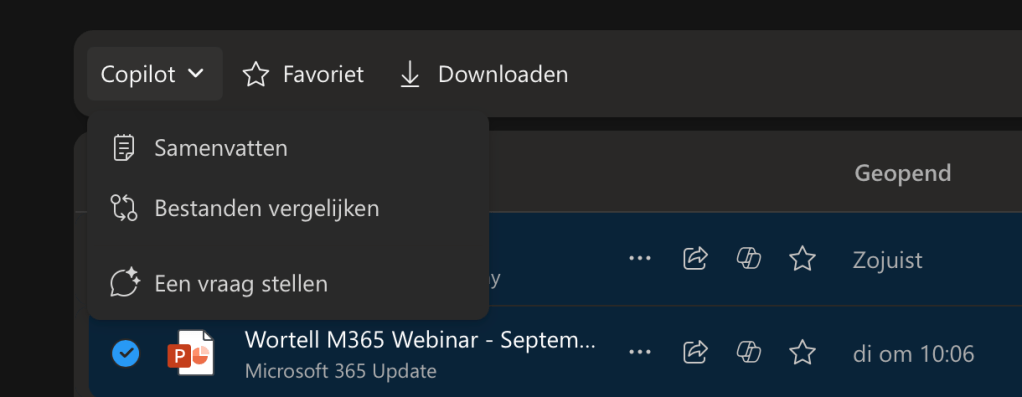
Scenario: HR sends out a new version of the company’s AI policy. Normally, you’d have to read the entire document again, line by line, to see what’s changed. You open both versions, click Compare, and Copilot instantly highlights every update, the new rules, the small edits, even the sections that quietly disappeared. In seconds, you know exactly what’s new and what your team needs to be aware of. No endless reading, no guessing, no “what’s different this time?” Just clarity, delivered with one click.
The Hero Link is another silent hero.
One link that just keeps working, even when files move or get renamed. No more “Access Denied” messages, no confusion. Just smooth collaboration.

And let’s talk about Search that understands you. No file names, no folder diving, just natural language. I can ask, “Find the latest Copilot strategy doc with the September updates,” and it appears. It’s search that finally feels human. It is almost in OneDrive for all of you!
And finally, Audio summaries. The feature I never knew I needed. Copilot can now read your document out loud while you’re on the go. Perfect for airport mornings, school runs or quiet walks when your brain still wants to learn. (Only in English)

And the last one that is almost there for all of you. The folder was full of files reports, meeting notes, partner articles, and research papers. Normally, I’d spend hours scrolling, connecting the dots, and trying to make sense of it all. this time, I opened OneDrive and activated a Researcher Agent. I asked,
“Help me combine the insights from these documents with external sources. What trends, risks, and key quotes should I include?”
Within minutes, the agent gathered everything into a structured summary. It analyzed every file in my folder, connected ideas, and even added insights from trusted sources online. The result was more than just information it was perspective. Trends that mattered, quotes that gave depth, and missing angles I hadn’t noticed before.
That’s the next step for OneDrive with Copilot: not just storing your ideas, but helping them grow.
If you want to read more about NEW updates and learn what’s coming please visit – https://techcommunity.microsoft.com/blog/onedriveblog/copilot–onedrive-intelligence-in-every-click-inspiration-in-every-memory/4458882
 Femke Cornelissen